Skip to content
Blender Hut Logo

Blender Hut

3D Computer Graphics

  • Home
  • Tutorials
    • All Tutorials
    • Tutorials for Beginners
    • Animation Tutorials
    • Modeling Tutorials
    • Text Tutorials
    • __________
    • Tutorials Containing
      • Particle System
      • Dynamic Paint
      • Fluid Simulation
      • Shape Keys
      • Rigid Body Tools
      • Rigging
    • Working Without
      • Number pad
      • Middle Mouse Button or Scroll Wheel
  • Disclosure
Fire Smoke Text
CollectionTutorials

Blender Tutorial – Fire Smoke Text Animation

June 12, 2019 tutor4u

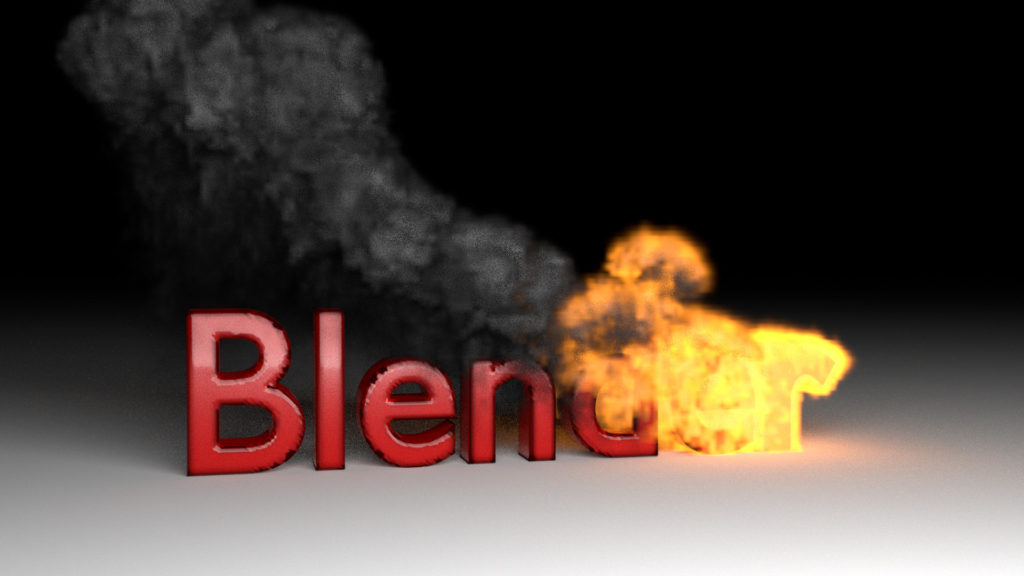
This Blender video demonstrates how to make an animation of text being created out of fire. A Particle System and Dynamic Paint are used to create the effect.

  • Video published on YouTube May 21, 2018
  • Blender version used is 2.79b

Blender Helpful Hints

  • To re-center the 3D cursor press Shift S and select Cursor to Center.
  • To undo a step press Ctrl Z. To redo a step press Shift Ctrl Z .
  • Learn How to use Blender without a Number Pad.
  • Learn How to use Blender without a Middle Mouse Button or Scroll Wheel.

  • Blender Tutorial – Washing Text Animation
  • Blender Tutorial – Transform to Smoke Animation

You May Also Like

Blender Chocolate Bar

Blender Tutorial – Chocolate Bar Animation

December 18, 2016 tutor4u
Blender Streaking Text Animation

Blender Tutorial – Streaking Text Animation

December 16, 2016 tutor4u
Render Animation

Blender Tutorial – Rendering an Animation

April 26, 2018 tutor4u

Recent Posts

  • Blender Tutorial – Precision Modeling
  • Blender Tutorial – Transform to Smoke Animation
  • Blender Tutorial – Fire Smoke Text Animation
  • Blender Tutorial – Washing Text Animation
  • Blender Tutorial – Rendering an Animation

Tags

Animation Basics Beginner Denoising DynamicPaint FluidSimulation IvyGenerator Modeling ParticleSystem Rigging RigidBodyTools ShapeKeys Smoke Text
  • Terms of Service and Privacy Policy
Copyright © 2026 Blender Hut. All rights reserved.
Theme: ColorMag by ThemeGrill. Powered by WordPress.